do you have some of those
Hamburger Menus?
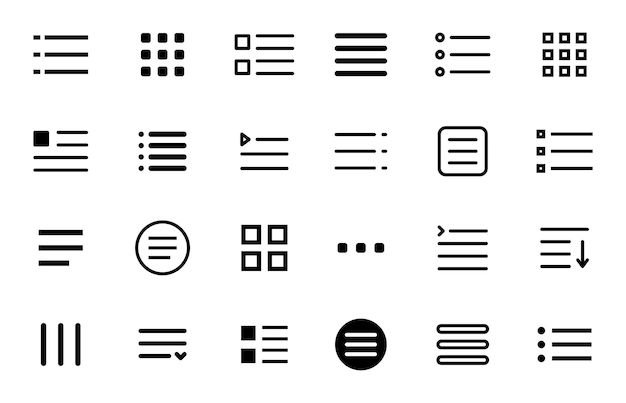
The hamburger menu, characterized by its three horizontal lines that expand to reveal navigation links, has become a popular choice for modern web design. Originally designed to save space on mobile interfaces, it’s now widely used across devices.

SOME PROS
1. Saves Space
The hamburger menu conserves valuable screen space by hiding navigation options until needed, contributing to a minimalist and uncluttered interface. This approach is particularly beneficial for mobile devices, where screen real estate is limited.
Source: https://mailchimp.com/resources/hamburger-menu/
2. Familiarity Among Users
Over time, the hamburger icon has become widely recognized, allowing users to intuitively understand its function and access hidden menus without confusion.
Source: https://htmlburger.com/blog/hamburger-menu/
3. Organizes Extensive Navigation Options
For websites with numerous sections or categories, the hamburger menu effectively consolidates links, preventing the interface from appearing cluttered and overwhelming to users.
Source: https://www.hostgator.com/blog/hamburger-menu-design/
4. Enhances Mobile User Experience
By centralizing navigation in a single, easily accessible location, the hamburger menu simplifies the user journey on mobile devices, where space constraints are a significant consideration.
Source: https://www.interaction-design.org/literature/article/hamburger-menu-ux?srsltid=AfmBOorMGz7OAH7fx2BFFl9_wPE-Rtqm6cA4izjAQbAzTR4ysfn0sCHM
5. Supports a Sleek, Modern Aesthetic
The use of a hamburger menu contributes to a contemporary look and feel, aligning with current design trends that favor simplicity and elegance.
Source: https://www.plerdy.com/blog/website-hamburger-menu/
SOME CONS
1. Reduced Discoverability of Navigation Options
Hiding menu items can lead to lower visibility of important sections, as users may overlook the hamburger icon or be unaware of additional content concealed within it.
2. Potential Decrease in User Engagement
Studies have indicated that hidden navigation elements, like those in a hamburger menu, often receive less interaction compared to visible menus, which can impact overall user engagement.
3. Challenges with Accessibility
Users with disabilities or those less familiar with digital interfaces may find it difficult to locate or use the hamburger menu, leading to a less inclusive user experience.

Example 1
Example 2
Example 3
Example 4
SOME RECOMMENDATIONS
Use the hamburger menu primarily for secondary or less frequently accessed content.
Ensure that critical navigation elements remain visible to facilitate user engagement.
Conduct user testing to assess the effectiveness of the navigation design and make data-driven adjustments as needed.

IN CONCLUSION
The hamburger menu offers a practical solution for maintaining a clean and organized interface, especially on mobile devices or websites with extensive navigation needs. However, designers should carefully consider its potential drawbacks, such as reduced discoverability and increased interaction cost.
By thoughtfully integrating the hamburger menu into the overall design strategy, websites can achieve a balance between aesthetic appeal and user-friendly navigation.